Friday, July 5, 2013

iPad App review: SlideShark

Screen capture of a PowerPoint presentation in SlideSharkSlideShark is a free mobile app to show PowerPoint presentations from the iPad, iPhone, and iPod touch. It keeps the animations, fonts, graphics, hyperlinks and videos intact while running from your iOS devices. 

Key features:
* 100 MB of online storage free (with option to buy more).
* Offline access to presentations. 
* You can see your slide notes, timers, animation counter and next/previous slides when presenting from your iPad.

(by Nauman)

iPad App review: Doceri

Doceri is a free professional iPad interactive whiteboard and screencast recorder with sophisticated tools for hand-drawn graphics and remote desktop control.

I just tried some of its features and they look fabulous. This app has got 5 stars in the App Store...

Here's an nice review of this app: http://tinyurl.com/DoceriReview

Enjoy...!!!

(by Nauman)

Ebooks on iPads- Library training session, Bundoora campus, 9th July.


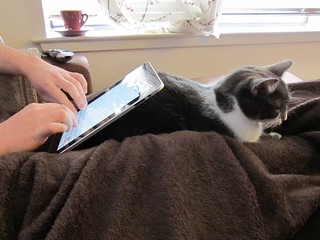
iPad Stand

Attribution Some rights reserved by Veronica Belmont

Ebooks on your iPad - too easy!

La Trobe University library has more than 350,000 e-books!
Come and find out more about them, and how to access them on your iPad. We will provide the tea, coffee and nibbles.
Class times: eBooks on your iPad
Tuesday 9 July
Session 1 - 9.30 - 10.30 am
Session 2 - 3 - 4 pm

Please, bring your iPad. All classes in Library Training Room 2.17
Borchardt Library (Melbourne Campus)
Book online now at latrobe.edu.au/library/training or contact Annette O’Brien, a.obrien@latrobe.edu.au Librarian, for further information.

Thursday, July 4, 2013

iPad in Higher Education Symposium

 iBook created following the Symposium by Sarah Midford
On Friday 28 June the eLearning team joined with a team from Apple to conduct a one-day staff development symposium on the use of mobile learning devices at the city campus at 360 Collins St. 

This symposium included sessions on iBooks, iTunes U and apps for teaching and learning, and was attended by academic and professional staff from all faculties as well as ICT. After the positive feedback to this symposium, we're planning our next event!

Stay (i)Tuned for the FBEL eLearning team's favourite apps for teaching and learning, as featured in the Musical Chairs session at the Symposium- we'll be posting a brief introduction and our reviews here on the blog.  

Friday, June 14, 2013

Development of technology in education over time

I came across this article about Stephen McFarlane's 12-year journey through undergraduate education. In this time, McFarlane has seen many changes in the use of technology in education in the USA. I found this article interesting for three reasons: the history of technology in tertiary education, McFarlane's persistence in studies through numerous challenges, and the opportunities and need for developing lifelong learning skills that this story demonstrates.

Monday, June 10, 2013

Allan Carrington's Padagogy Wheel

When considering the use of the educational technologies, it often becomes relevant to remind ourselves of the importance of putting the pedagogy first.  We often want to start by considering the kinds of educational outcomes we're looking for, and move from this to the technology that best suits this outcome.

Alan Carrington from Adelaide University has created a useful tool for thinking about educational outcomes in terms of Graduate Capabilities, verbs from Bloom's Taxonomy, and the SAMR model on a wheel, with iPad Apps in the relevant quadrants.  See the Padagogy Wheel below, and check out his Youtube video introducing this idea.


Friday, June 7, 2013

My PDF won't open on the LMS

A number of people have reported problems trying to get access to attachments such as PDFs through the La Trobe LMS when using their iPad.

There is a simple solution to this problem, but you have to make sure you are viewing the LMS using the right theme designed for mobile use!  Scroll all the way to the bottom of the page and you will see a link which says:
Switch to the recommended theme for my device

Tap on this link and you will see the page reformatted for the iPad.

You will then see a little paperclip icon at the top righthand corner of PDF attachments.  Tap on the paperclip to view the PDF, and then tap again in the middle of the PDF to allow opening in another program.

We have created a short video tutorial to step through this process.  See this below: